
racoon
Well-known member
Do you have a link to this information?That is wrong. Even the BRP site states that it’s coming for on-road vehicles.

Do you have a link to this information?That is wrong. Even the BRP site states that it’s coming for on-road vehicles.

post #23 has the link, This is the info there about the new BRP GO:Do you have a link to this information?
post #23 has the link, This is the info there about the new BRP GO:
On-Road Navigation
Coming to BRP GO!
Create itineraries, see friends’ live location on the map and enjoy advanced navigation on the 10.25-inch touchscreen display. Works with Android and iOS, no headset required. Available in spring 2026.
BRP GO! can be used on:
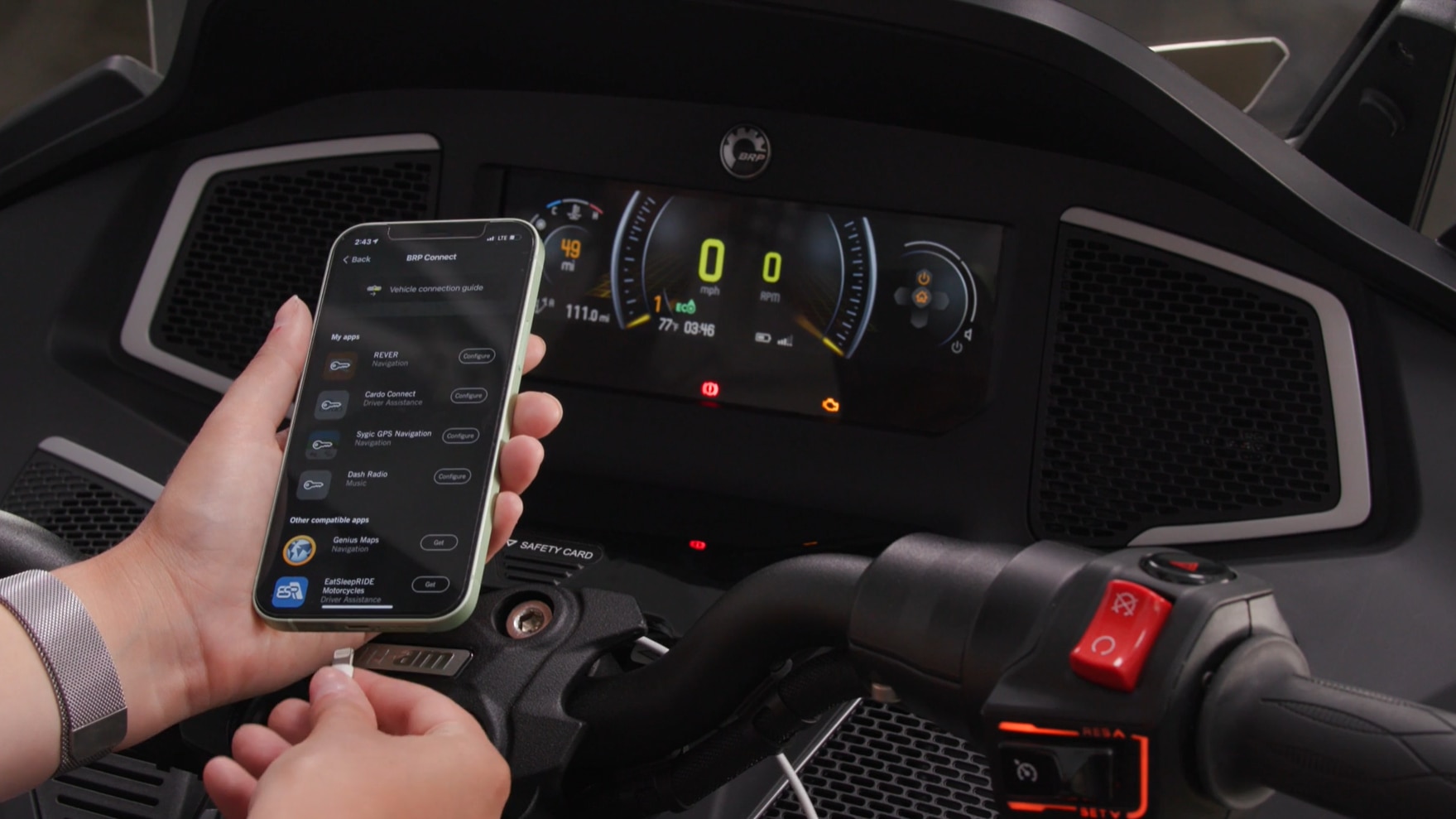
- The 7.8" display of 3-wheel vehicles: When BRP GO! is connected to the display, you can use select compatible apps on the vehicle display (through screen mirroring).
- The 10.25" display of electric motorcycles: When BRP GO! is paired with the display, it will offer vehicle information of your Can-Am electric motorcycle right from your phone
*For the 10.25" display of 3-wheel vehicles, Apple CarPlay replaces the screen mirroring features of the BRP GO! app.
 can-am.brp.com

We will agree to disagree on this one my friend!!Not trying to argue or sell anything, but many don't realize that a phone is a higher capability than the Garmin. I was a Garmin user since the earliest days, but - anything Garmin does, I can do with a good phone, only better, as Garmin has fallen a little behind. I just know there has been misinformation of how a phone works on Facebook and boards like this, so I wanted to provide options
The Apple Map issue was likely not having maps downloaded onto the phone. There are also Nav apps far better than Apple Maps though.
The CarPlay implementation on the Spyder is subpar at best, I understand that fully. The newest Garmin is a nice unit.


For motorcycle use there are still a few areas where Garmin does things a phone cannot. One of which is ROUTES. Google maps, under both Apple and Android does NOT support routes. Only destinations for which it calculates routes on the fly. Google maps in the cloud and presented on a browser DOES support routes but they cannot be transferred to a mobile device for navigation. This is a large missing feature when planning rides for a group of bikes. This is why our riding club still uses Garmin navigation only for trip planning.Not trying to argue or sell anything, but many don't realize that a phone is a higher capability than the Garmin. I was a Garmin user since the earliest days, but - anything Garmin does, I can do with a good phone, only better, as Garmin has fallen a little behind. I just know there has been misinformation of how a phone works on Facebook and boards like this, so I wanted to provide options
The Apple Map issue was likely not having maps downloaded onto the phone. There are also Nav apps far better than Apple Maps though.
The CarPlay implementation on the Spyder is subpar at best, I understand that fully. The newest Garmin is a nice unit.
This update is NOT coming for the on road vehicles. In 2024, BRP GO functionality was removed from Spyders. its only included on the electric bikes. There is no update coming for a system that does not exist on these bikes.Coming to BRP GO! = Not now; estimated to arrive spring of 2026. Still winter here.
I use the Google Maps application on my desktop computer and I have the Google Maps App installed on my iPhone. Note that I use the Google Maps applications, not the maps.google.com website.One of which is ROUTES. Google maps, under both Apple and Android does NOT support routes. Only destinations for which it calculates routes on the fly. Google maps in the cloud and presented on a browser DOES support routes but they cannot be transferred to a mobile device for navigation. This is a large missing features when planning rides for a group of bikes.
Thanks for trying and that is the way it SHOULD work. But it does not. Sending to my phone, it only gets the destinations, not the route edits. IE it replots the route without the edits going back to the fastest route to the destination. Just tried it again to be sure if some update had occured that I have not seen. Nope, still does not work.I use the Google Maps application on my desktop computer and I have the Google Maps App installed on my iPhone. Note that I use the Google Maps applications, not the maps.google.com website.
I plan a route on my computer by entering a starting and ending point, which auto generates a route.
I can then drag and drop the route to change it to my liking.
I then sync the route to my iPhone.
And yes, it does require that you be logged in to both maps applications with the same account. I use a Gmail account I've had forever.
For example, I recently planned a route to a location in Hermitage, TN.
I live near Cookeville, TN so the fastest route is to take Interstate 40.
I try to avoid the interstate when possible, so I dragged the route to use US Route 70N.
I had to drag and drop in several locations to change the route to 70N, since it kept trying to stick to the I-40 route.
So after "fixing" the route so it was entirely on 70N I then use the "Send directions to iPhone" to send the adjusted route to my phone.
Agree Google maps and Apple maps are limited (but google can be forced on limited routes) and I gave up on them. But there are apps out there do do a great job and have phone apps. I mentioned MyRoute in earlier reply to you, have done a few routes, and been very happy. Main thing, the route planner is so easy, I much prefer it over Basecamp or any others I've found to date. Little expensive, but they run sales periodically with big discounts... but much less than the new XT2 I was considering.For motorcycle use there are still a few areas where Garmin does things a phone cannot. One of which is ROUTES. Google maps, under both Apple and Android does NOT support routes. Only destinations for which it calculates routes on the fly. Google maps in the cloud and presented on a browser DOES support routes but they cannot be transferred to a mobile device for navigation. This is a large missing feature when planning rides for a group of bikes. This is why our riding club still uses Garmin navigation only for trip planning.

See the PM I sent you.Thanks for trying and that is the way it SHOULD work. But it does not. Sending to my phone, it only gets the destinations, not the route edits. IE it replots the route without the edits going back to the fastest route to the destination. Just tried it again to be sure if some update had occured that I have not seen. Nope, still does not work.
I raised this issue with Google and they confirmed its a known limitation for the mobile Google navigation apps. Destinations only, no routes.
And as I previously posted, the information about BRP GO no longer being part of the Spyder systems is also on the BRP Web site. I HAVE spoken with BRP on this subject. Call BRP yourself and ask. BRP GO is gone (good riddance) from the Spyder line and replaced with Apple CarPlay. Replaced, not added. BRP is very clear on the issue and its not coming back for these models.jcthorne, I would suggest you contact BRP / Can Am and tell them they are wrong. The info I provided above is from their web site. I only stated what is on BRP website. here is the link to the web site I provided in post #23 BRP / Can Am

Well I guess time will tell… it’s pretty clear on the website - yes, it’s gone for now, but that doesn’t mean it cannot come back. Anyway, we will see; in the meantime, I will use CarPlay.And as I previously posted, the information about BRP GO no longer being part of the Spyder systems is also on the BRP Web site. I HAVE spoken with BRP on this subject. Call BRP yourself and ask. BRP GO is gone (good riddance) from the Spyder line and replaced with Apple CarPlay. Replaced, not added. BRP is very clear on the issue and its not coming back for these models.

Interesting, as I don't remember having that problem. But, I haven't ridden in a while, so I might be misremembering.Thanks for trying and that is the way it SHOULD work. But it does not. Sending to my phone, it only gets the destinations, not the route edits. IE it replots the route without the edits going back to the fastest route to the destination. Just tried it again to be sure if some update had occured that I have not seen. Nope, still does not work.
I raised this issue with Google and they confirmed its a known limitation for the mobile Google navigation apps. Destinations only, no routes.

What bugs are you seeing with CarPlay?Well I guess time will tell… it’s pretty clear on the website - yes, it’s gone for now, but that doesn’t mean it cannot come back. Anyway, we will see; in the meantime, I will use CarPlay.
Perhaps they will finally realize that CarPlay, while it might work on many cars, even super cheap Chinese large screens for cars, it simply is still full of bugs on our bikes… when it works, it’s great; but than again... and since they didn’t actually write that software, it’s much harder to fix…
What connection headaches are you having, perhaps others here can help. I have found the startup sequence critical but once connected it seems to work just fine. Using the 'correct' startup sequence it connects every time I start the bike like clockwork. Should not be this critical but it is for now.I’m an iPhone user, but good new for Android folks, as well. I will be saying goodbye to the CarPlay option and using my headset for phone/music and Bluetooth music when not wearing my helmet (when in-display nav hits). Not gonna lie. Pretty excited about this.
View attachment 253468
I guess the point of my original reply is that navigation is coming to the on-road 10.25” displays. Don’t care whether I have the Go! app, or not, but I suppose it will have to be used, as I don’t think there’s a GPS radio built into the display. Anyway, I want to eliminate the connection headaches between CarPlay and Bluetooth.
What connection headaches are you having, perhaps others here can help. I have found the startup sequence critical but once connected it seems to work just fine. Using the 'correct' startup sequence it connects every time I start the bike like clockwork. Should not be this critical but it is for now.
Secondly, even IF the BRP_GO app made a come back to the Spyders, the handshaking and bluetooth connection to your phone would likely be the same. It's still navigation running on your phone and presented on the Spyder screen via a data link. Why do you think the BRP_GO would be any better? 2018-23 owners can tell you IT'S NOT.

1) Phone and headset should be on and ready to accept bluetooth handshake when your start the bike. Upon startup is the only time the instrument cluster will scan for bluetooth devices. Will not scan for phone if headset is not found first.Let’s see… I have a list.
1) Don’t forget to unplug the phone before starting again, or you’re unplugging and starting again to get a Bluetooth connection. Easily managed.
2) When using Bluetooth for music through the speakers, it will randomly quit the handshake and the only way to get music back is to pull my Spyder over, shut down, unplug, restart, establish Bluetooth connection, plug phone back in. This happens every time I’m plugged in, and one of the main issues I’m in contact with BRP directly about it (they are no help).
3) When I do get on the highway with a helmet, if I don’t disable the phone to dash Bluetooth connection, CarPlay will not function, aka I cannot hear callers or extremely slow audio and the bike (left-hand audio controls) do not function at all.
4) CarPlay will usually connect fine on the first morning attempt, but will not connect on any subsequent start up throughout the day, unless the Spyder sits for hours. Same start up sequence for consistency. BRP can’t explain this one either.
There are so many gremlins in the firmware that it makes it inconsistent, untrustworthy, and unreliable to use, especially when it just randomly quits in the middle of a song going 80 down the highway (in town it’s easier, but this still ticks me off).
So for me, for now, it’s Bluetooth for music and make sure I leave the house with a fully charged phone.
I have other random issues, as well, but I’ve already typed/ranted enough.


